Advisor Assignment
Advisors and Coordinators of Advising can use MyPack's Batch Advisor Assignment or Student Advisor tools to view or assign students' advisors.
Navigate to Advisor Assignment
MyPack Portal > Student Information System homepage > Advising tile > Batch Advisor Assignment OR Student Advisor
- Log into MyPack Portal
- Select the Student Information System homepage
- Select the ‘Advising’ tile
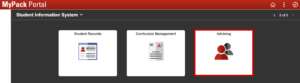
- On the left-hand navigation bar, select ‘Batch Advisor Assignment’ or ‘Student Advisor’
- Enter search criteria
Batch Advisor Assignment
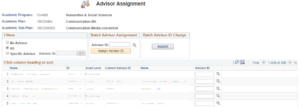
Batch Advisor Assignment allows administrators to view, sort and assign advisors for individuals or batches of students in a specific plan/subplan.

Results may be filtered by all students, no assigned advisor, or by a specific advisor ID and may be exported to Excel.
Student Advisor
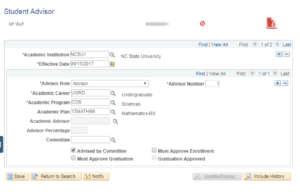
Student Advisor displays all current and past advisors for a specific student.

Administrators may assign or remove advisors using the (+) and (-) buttons and may assign extra roles as appropriate.