Curricula Change
Navigate to Curricula Change
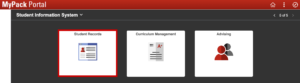
MyPack Portal > Student Information System homepage > Student Records tile > Career and Program Information folder > Student Curriculum Change menu item
- Log into MyPack Portal
- Select the ‘Student Information System’ homepage
- Select the ‘Student Records’ tile
- On the left-hand navigation bar, select the ‘Career and Program Information’ folder
- Select ‘Student Curriculum Change’
Using Curricula Change
Curricula Change allows administrative users to modify a student’s curriculum by:
- Adding a plan
- Changing a plan/sub-plan
- Removing a plan
- Changing a requirement term